




Zum Inhalt springen
View in the app

A better way to browse. Learn more.

Fachinformatiker.de

A full-screen app on your home screen with push notifications, badges and more.

To install this app on iOS and iPadOS
  1. Tap the Share icon in Safari
  2. Scroll the menu and tap Add to Home Screen.
  3. Tap Add in the top-right corner.
To install this app on Android
  1. Tap the 3-dot menu (⋮) in the top-right corner of the browser.
  2. Tap Add to Home screen or Install app.
  3. Confirm by tapping Install.

fisi25

User
  • Registriert

  • Letzter Besuch

  1. fisi25 hat auf Cashwig's Thema geantwortet in IHK-Prüfung allgemein
    GA I: 69 GA II: 84 WiSo: 76
  2.    chrissi009 hat auf einen Beitrag in einem Thema reagiert: Ergebnisse?
  3. fisi25 hat auf Cashwig's Thema geantwortet in IHK-Prüfung allgemein
    Wir haben noch keine Ergebnisse. IHK Magdeburg lässt sich aber zeit. Gesendet von meinem ALE-L21 mit Tapatalk
  4. fisi25 hat auf Cashwig's Thema geantwortet in IHK-Prüfung allgemein
    Bei uns gab es noch keine Ergebnisse...naja mal sehen wie schnelle die Deutsche Post ist.
  5. Sehr schön erklärt. Wir haben im letzten Jahr ein PowerPoint Präsentation dazu gemacht zum OSi Modell und zwar auf eine lustige weise (Minions). Vielleicht darf man es hier mal bereitstellen?
  6. fisi25 hat auf Cashwig's Thema geantwortet in IHK-Prüfung allgemein
    Nein. Ich denke erst kurz vor Weihnachten, weil wir das per Post bekommen.
  7. Ja genau. Habe die Begriffe inkrementelle, voll Backup, Differentielle Sicherung noch zur Erklärung benutzt Gesendet von meinem ALE-L21 mit Tapatalk
  8. Am dämlichsten war unsere Pausenregelung. GA 1 -> 30 min Pause -> GA II und WiSo wie war es bei euch?
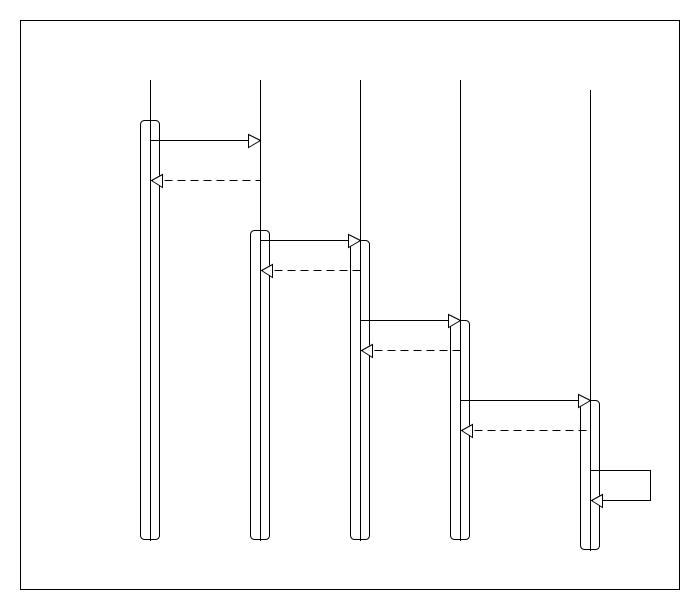
  9. Ja ich. habe ne ähnliche skizze angehängt. Ich habe HS5 gestrichen mit IPv6 Trace hatte da nen völligen Blackout. Aber sonst war es machbar.

Konto

Navigation

Suchen

Suchen

Configure browser push notifications

Chrome (Android)
  1. Tap the lock icon next to the address bar.
  2. Tap Permissions → Notifications.
  3. Adjust your preference.
Chrome (Desktop)
  1. Click the padlock icon in the address bar.
  2. Select Site settings.
  3. Find Notifications and adjust your preference.